Serverdex · badges
Add a live Serverdex badge to your MCP server
Drop one line in your README or site and show your server’s live stats — grade, score, stars, live check, tools, context-cost and latency — straight from the Serverdex index. Free, updates on its own, and it links back to your listing.
The badges
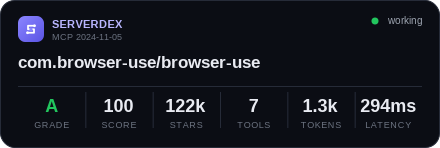
previewed on Browser Use, live right nowLive server card
SVG · 440×148The full picture: Report Card grade, Serverdex score, GitHub stars, live check, tool count, context-cost (tokens), latency and protocol — all live.
Markdown — for your README
[](https://serverdex.io/server/YOUR-SERVER-SLUG)HTML — for your website
<a href="https://serverdex.io/server/YOUR-SERVER-SLUG"><img src="https://serverdex.io/server/YOUR-SERVER-SLUG/card.svg" alt="My MCP server on Serverdex" width="440" height="148" loading="lazy"></a>Score pill
SVG · auto×22A compact shields-style pill with the Serverdex quality score, GitHub stars and the live check. Links to the score breakdown.

Markdown — for your README
[](https://serverdex.io/server/YOUR-SERVER-SLUG/score)HTML — for your website
<a href="https://serverdex.io/server/YOUR-SERVER-SLUG/score"><img src="https://serverdex.io/server/YOUR-SERVER-SLUG/badge.svg" alt="My MCP server on Serverdex" height="22" loading="lazy"></a>Report Card grade
SVG · auto×22A single A–D maintenance grade from six repository signals. Best for a well-maintained server that wants to show it.

Markdown — for your README
[](https://serverdex.io/server/YOUR-SERVER-SLUG)HTML — for your website
<a href="https://serverdex.io/server/YOUR-SERVER-SLUG"><img src="https://serverdex.io/server/YOUR-SERVER-SLUG/report-badge.svg" alt="My MCP server on Serverdex" height="22" loading="lazy"></a>How to add yours
- Open your server’s page on Serverdex — search it from the directory, or add it if it’s not listed.
- Copy the exact badge code from the page (it fills in your server’s slug for you) — or take a snippet above and replace YOUR-SERVER-SLUG with your slug.
- Paste it in your README or site. The badge renders live and updates itself; the link is a followed link to your listing.
Badges read the same live numbers as your server page — the daily credential-free live check, GitHub and the Report Card. Nothing to maintain, no key, no tracking.
Questions people ask
- Do the badges cost anything?
- No. Any listed server can use them for free — Free, Priority Review, Featured or Verified. The badge is an image served by Serverdex; you only paste the snippet.
- Do they stay up to date?
- Yes. Each badge is a live SVG regenerated from your server's current row — grade, score, stars, live check, tools, tokens and latency — cached briefly at the edge. Paste it once and it keeps itself current.
- What's the link for?
- The badge is wrapped in a followed link to your Serverdex listing. That is the point of the free tier — a real, branded link both ways — and it is a quality signal for search engines.
- What does the context-cost number mean?
- It is the token cost of the server's tool definitions, measured from the live check — how much of a model's context window the server's tools take up before you send a single message. Lower is leaner.